
No products in the cart.




Introduction
WiFi smart switches are becoming very popular in Pakistan because they make homes smarter, more convenient, and energy efficient. However, like any electronic device, WiFi smart switches can sometimes face problems. These issues are usually small and can be fixed easily if you know the correct solution.
Many beginners feel worried when their smart switch stops working or fails to connect to WiFi. But in most cases, the problem is related to WiFi signal, wiring, or mobile app settings—not the switch itself.
Understanding common problems and their solutions helps users save time, avoid unnecessary repairs, and keep their smart home devices working smoothly.
In this detailed guide, we will explain the most common WiFi smart switch problems and how to fix them step-by-step. This guide is especially useful for beginners and homeowners in Pakistan using Tuya or Smart Life based devices.
If you are looking for reliable WiFi smart switches that work smoothly and are easy to maintain, explore trusted options available at https://zzmarts.com for your home or office.
Problem 1: WiFi Smart Switch Not Connecting to WiFi
Why This Happens
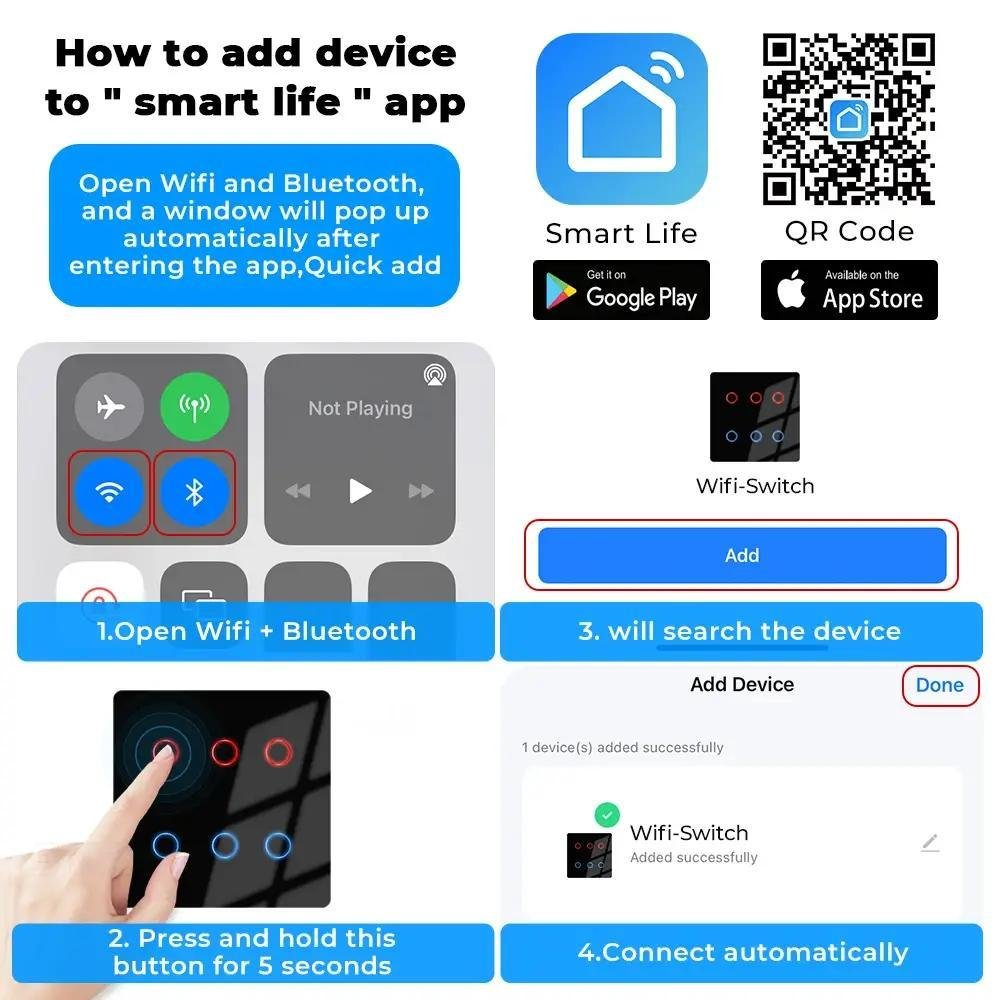
This is the most common problem users face. A smart switch may fail to connect to WiFi due to weak signals, incorrect password entry, or unsupported WiFi frequency.
Most WiFi smart switches only support 2.4GHz WiFi networks, not 5GHz networks.
How to Fix It
First, check that your WiFi network is set to 2.4GHz.
Second, move the router closer to the switch during setup. Weak signals often prevent successful pairing.
Third, carefully re-enter your WiFi password. Even a small mistake can prevent connection.
Fourth, reset the smart switch and reconnect it through the app.
In most cases, following these steps solves the connection issue.
Problem 2: Smart Switch Not Turning ON
Why This Happens
If the smart switch does not turn ON after installation, the problem is usually related to wiring or power supply.
Sometimes loose wires or missing neutral connections cause the switch to remain OFF.
How to Fix It
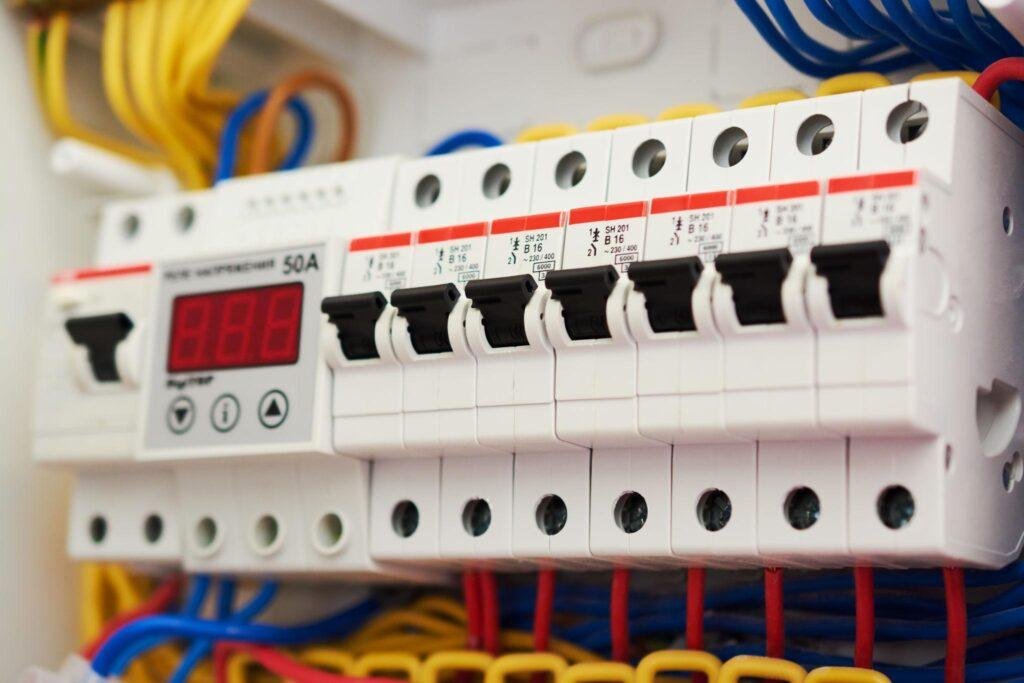
First, check your main power supply and circuit breaker.
Second, inspect wiring connections carefully.
Make sure:
- Live wire is connected properly
- Neutral wire is connected correctly
- No wires are loose
If the problem continues, consult an electrician to verify wiring.
Incorrect wiring is one of the most common causes of this issue.
Problem 3: Smart Switch Disconnecting Frequently


5
Why This Happens
Frequent disconnection usually occurs due to weak WiFi signals or router placement issues.
Smart switches require stable internet connectivity to function properly.
How to Fix It
Place your WiFi router in a central location in your home.
Avoid placing routers behind walls or inside cabinets.
If your home is large, install a WiFi range extender.
Strong WiFi signals ensure stable performance.
This solution works in most cases.
Problem 4: Mobile App Not Detecting Smart Switch
Why This Happens
Sometimes the mobile app cannot detect the switch because it is not in pairing mode.
Another reason may be incorrect app settings.
How to Fix It
First, reset the switch to pairing mode.
Second, make sure Bluetooth and WiFi are enabled on your phone.
Third, restart the app and try connecting again.
Following these steps usually resolves detection problems.
Problem 5: Smart Switch Responding Slowly
Why This Happens
Slow response times are usually caused by slow internet speed or overloaded WiFi networks.
If many devices are connected to the same network, performance may decrease.
How to Fix It
First, check your internet speed.
Second, reduce the number of unnecessary connected devices.
Third, upgrade your router if it is old.
Better internet speed improves smart switch performance significantly.
Tips to Prevent WiFi Smart Switch Problems
Preventing problems is always better than fixing them later.
Here are some useful tips.
Always use a strong WiFi router.
Install switches within good WiFi signal range.
Avoid buying very cheap low-quality switches.
Use professional electricians for installation.
Update mobile apps regularly.
Following these tips reduces the chances of future problems.
Why Choosing High-Quality Smart Switches Matters
Many issues occur because of poor-quality devices. Cheap smart switches may disconnect frequently, respond slowly, or fail early.
High-quality smart switches provide:
- Stable performance
- Better connectivity
- Longer lifespan
- Improved safety
If you want reliable and long-lasting WiFi smart switches, visit https://zzmarts.com to explore trusted smart home devices designed for smooth performance.
When Should You Replace Your Smart Switch?
Sometimes repairing is not enough.
You should consider replacing your smart switch if:
- It stops working completely
- Shows burn marks
- Disconnects repeatedly even after fixes
- Fails to power ON
Replacing faulty switches ensures safety and reliability.
WiFi Smart Switch Problems: Quick Reference Table
| Problem | Likely cause |
|---|---|
| Switch will not pair with app | Phone connected to 5GHz WiFi instead of required 2.4GHz |
| Switch goes offline randomly | Weak WiFi signal at the switch location |
| Physical button stops working | Firmware glitch, usually fixed by a power cycle or reset |
| Schedule does not trigger | Phone/hub time zone mismatch or app not synced recently |
Frequently Asked Questions
Why do WiFi smart switch problems happen after a router change?
Switches are paired to a specific WiFi network name and password. If you change routers or WiFi settings, you usually need to reset and re-pair each switch to the new network.
How do I factory reset a WiFi smart switch?
Most models reset by holding the physical button for 5-10 seconds until the indicator light flashes rapidly, then re-pairing through the app. Check your specific model’s manual, since timing varies slightly.
When should I replace a WiFi smart switch instead of troubleshooting it?
If the switch will not hold a WiFi connection even after a reset and signal check, or the physical mechanism feels loose or unresponsive, replacement is usually more practical than continued troubleshooting.
ZZ Marts sells replacement WiFi smart switches in Karachi and Lahore if troubleshooting does not resolve the issue. Visit our Saddar Regal (Karachi) or Mashallah Center (Lahore) store, or browse online.
Conclusion
WiFi smart switches are powerful devices that improve comfort, convenience, and energy efficiency in modern homes. However, occasional problems can occur, especially during installation or setup.
The good news is that most WiFi smart switch issues are simple and can be fixed easily with basic troubleshooting steps. From WiFi connection problems to slow response times, understanding the cause helps find the right solution quickly.
By using proper installation methods, strong WiFi connections, and high-quality devices, you can avoid most common problems.
If you are planning to install reliable WiFi smart switches in your home, visit https://zzmarts.com today and choose high-quality smart home solutions built for modern living.