No products in the cart.


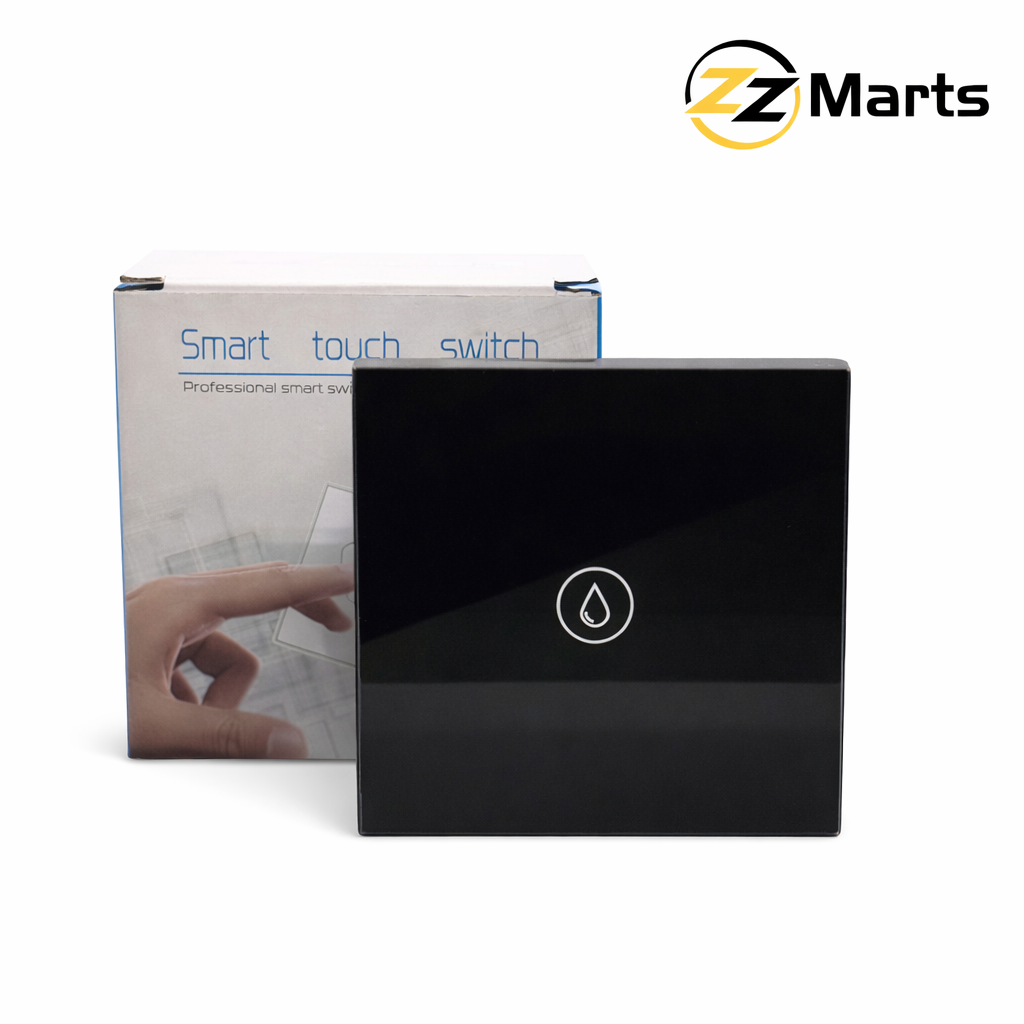
A smart switch for fans in Pakistan is one of the simplest smart home upgrades you can make, since fans run for most of the day in Pakistani homes, especially through the summer months, which makes them one of the biggest sources of wasted electricity when left running in empty rooms. A smart switch for fans in Pakistan buyers install lets you turn fans off automatically, schedule them, and control them from your phone – but there is one thing most product listings do not explain clearly: whether a smart switch actually controls fan speed, or just turns the fan on and off.
What Is a Smart Switch for a Fan?
A smart switch for a fan replaces your existing wall switch with a WiFi-connected version that you can control from an app (usually Tuya or Smart Life), a voice assistant like Alexa or Google Home, or a schedule you set once. Physically, it fits into the same switch box as a normal switch and is wired the same way, with the WiFi module built into the switch plate itself.
Can a Smart Switch Actually Control Fan Speed?
This is the part worth understanding before you buy. Most WiFi smart switches sold for fans are on/off switches – they let you turn the fan on or off remotely and on a schedule, but they do not change the fan speed. That is because most ceiling fans in Pakistan use a capacitor-based mechanical regulator, which is a different circuit from the dimmer circuits used for lights.
To get real speed control from an app or voice command, you need a smart fan speed controller or regulator specifically designed for capacitor-type fans, not a standard smart light switch relabelled for fans. If speed control matters to you, check the product description carefully for words like “speed control” or “regulator” rather than assuming any smart switch will do it – a plain on/off smart switch is still useful, just for a different purpose.
Benefits of a Smart Switch for Fans in Pakistani Homes
- Schedule fans to switch off automatically after you leave for work or school
- Turn off a fan you forgot to switch off, from anywhere, using your phone
- Useful for guest rooms, rental units, or store spaces where fans are often left running
- Voice control through Alexa or Google Home for hands-free operation
- Group fan and light switches into one scene, e.g. “leaving home” turns everything off together
What to Check Before Buying a Smart Switch for Your Fan
- Neutral wire – most WiFi smart switches need a neutral wire at the switch box to power the WiFi module, which is worth confirming before buying, especially in older Pakistani wiring
- On/off only vs speed control – check the specific product description rather than assuming
- Load rating – confirm the switch’s amp rating comfortably covers your fan’s wattage, especially if the same switch also controls a light
- Gang count – decide whether you need a single switch for just the fan, or a multi-gang unit combining the fan and room lights
Standard Switch vs Smart On/Off Switch vs Smart Fan Regulator
| Type | Speed control | Remote/app control | Typical use |
|---|---|---|---|
| Standard wall switch | No (separate mechanical regulator) | No | Basic on/off at the wall only |
| Smart WiFi switch (on/off) | No | Yes – app, voice, schedule | Remote and scheduled on/off control |
| Smart fan speed controller | Yes | Yes – app, voice, schedule | Full remote speed control, for capacitor-type fans |
Installing a Smart Switch for Your Fan
Installation follows the same process as any WiFi smart switch: turn off the circuit breaker, remove the old switch plate, connect the live, neutral, and load wires to the smart switch terminals, then pair it with the Tuya or Smart Life app over your home WiFi. If you have not installed a WiFi smart switch before, our step-by-step WiFi smart switch installation guide walks through the full process with a safety checklist.
Smart Switch vs Smart Plug for Pedestal and Standing Fans
Everything above applies to ceiling fans wired into a wall switch. For pedestal, stand, or table fans that plug into a socket, a smart plug is usually the simpler option instead of a smart wall switch – you plug the fan into the smart plug, and the plug into your existing socket, with no wiring involved. This is a good fit for rented spaces or seasonal fans you move between rooms, where installing a wall switch is not practical.
Frequently Asked Questions
Will a smart switch for fans in Pakistan homes use work with any ceiling fan?
An on/off smart switch works with any standard ceiling fan, since it simply controls power to the fan the same way your existing wall switch does. Speed control specifically requires a fan-rated smart regulator, not just any smart switch.
Can I keep my existing fan regulator and add a smart switch?
Yes – a smart on/off switch can sit before your existing mechanical regulator, letting you remotely cut power to the fan while still using the regulator dial by hand for speed. This is often the simplest upgrade if speed control is not a priority.
Does a smart fan switch save electricity by itself?
The switch itself uses a small amount of standby power to stay connected to WiFi. The real savings come from scheduling and remote shutoff preventing fans from running in empty rooms – see our guide on how WiFi smart switches help reduce electricity bills for more on this.
My smart fan switch is not responding – what should I check first?
Start with the same checks as any WiFi smart switch: confirm your phone is on the 2.4GHz WiFi band during setup, check the switch has not lost its WiFi connection, and see our WiFi smart switch troubleshooting guide for the full list of common fixes.
ZZ Marts stocks WiFi smart switches and smart touch switches in Karachi and Lahore, and our staff can help you confirm whether a specific model supports fan speed control before you buy. Visit our Saddar Regal (Karachi) or Mashallah Center (Lahore) store, or browse online, to find the right smart switch for your fan.